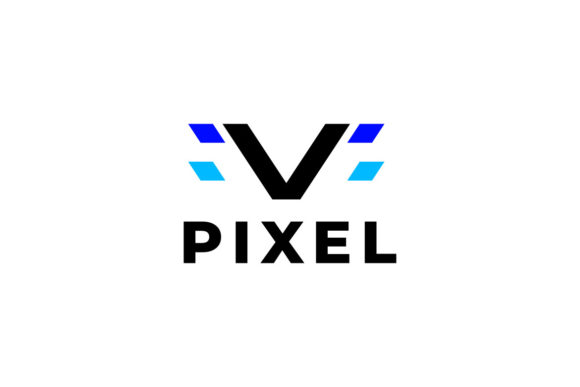
Pixel V Logo: A Modern Font for Bold Branding
Finding a typeface that feels both contemporary and versatile can be a real challenge. You need something that stands out in a crowded market, yet remains clean enough for a variety of applications. That's where a well-crafted display font like Pixel V Logo comes into play. It's not just another set of letters; it's a design asset built to make an immediate visual impact, whether you're crafting a new brand identity from scratch or refreshing an existing one.
Understanding Its Visual Character
At its core, this font carries a distinct modern sensibility. The letterforms are constructed with geometric precision, offering a sense of stability and strength. This isn't a delicate, whispering script; it's a confident, clear voice. The design leans towards a sans serif aesthetic, but with subtle details that give it more personality than a standard corporate typeface. Think of it as the font you'd choose when you want to project innovation, clarity, and approachability all at once.
The inclusion of the Montserrat font is a strategic pairing choice. Montserrat is a renowned Google Font, celebrated for its excellent readability and geometric foundation. Using it for body text or secondary information alongside the bold, headline-grabbing Pixel V Logo creates a harmonious and professional typographic hierarchy. This pairing solves a common design problem: how to have a standout primary font without sacrificing the legibility of your supporting text.
Practical Applications Across Projects
The true test of any font is how it performs in the real world. This particular typeface shines in scenarios where you need to grab attention quickly and communicate a message with authority.
- Logo Design & Brand Identity: This is its namesake strength. The clean lines and balanced proportions make it ideal for creating memorable logos. It works beautifully for tech startups, creative agencies, modern cafes, boutique studios, or any business that wants to appear current and trustworthy. The font helps build a cohesive visual identity that can be extended across all materials.
- Digital Presence: In the fast-scrolling world of social media, first impressions are everything. Using this font for headlines on Instagram graphics, Facebook ads, or YouTube thumbnails can significantly increase engagement. It ensures your key message is legible even at smaller sizes on mobile screens. For websites and blogs, it creates compelling headings that guide the reader's eye and improve the overall user experience.
- Print & Packaging: Don't limit it to the digital realm. It translates powerfully to print materials like business cards, brochures, and posters. For packaging design, especially for products like cosmetics, gourmet foods, or artisanal goods, it lends a premium, contemporary feel that can elevate shelf appeal. Its clarity is crucial here, ensuring product names and key details are easily read from a distance.
- Editorial & Marketing: From magazine covers to email newsletter headers, the font brings a professional polish. It’s excellent for creating visual hierarchy in editorial layouts, making articles feel more engaging. In marketing assets like flyers, banners, and presentation decks, it helps maintain a consistent and professional brand voice that audiences come to recognize.
Making It Work for Your Brand
Simply having a great font isn't enough; knowing how to use it effectively is key. Here’s some practical advice for integrating it into your workflow.
Start with Your Project Goal. Are you trying to appear innovative, reliable, playful, or luxurious? The geometric nature of this font leans towards modern and clean. If your brand personality is more rustic or traditional, you might need to pair it very carefully with other elements or consider a different primary typeface altogether. Always let the project's core message guide your typographic choices.
Master the Pairing. The included Montserrat is a fantastic starting point, but don't be afraid to experiment. Try pairing the bold display version with a light weight of Montserrat for elegant contrast. For a different mood, test it against a complementary serif font for body text to create a classic-meets-modern dynamic. The rule of thumb is to create contrast in weight or style, not to choose two fonts that are too similar, which can look messy.
Prioritize Readability. A beautiful font is useless if people can't read your message. Test your designs at various sizes, especially for body text and digital use. The Montserrat font included is specifically chosen for its superb readability in paragraphs. For the main display font, use it primarily for headlines, titles, and short bursts of impactful text where its character can shine without compromising comprehension.
Review the Included Styles. A good font package often includes multiple weights or styles—like Regular, Bold, Light, or Italic. Examine what's provided. Having a range of weights allows you to create nuanced typographic hierarchies within your designs, using heavier weights for main headings and lighter ones for subheadings or captions, all while maintaining a unified look.
Considering the Commercial License
For entrepreneurs and designers, this is a critical step. The font is listed as a commercial font, which typically means you need to purchase a license to use it for client work, merchandise, or any project that generates revenue. Always review the specific license agreement that comes with the files. Understand what is permitted—can you use it on unlimited projects? Is web embedding allowed? Are there restrictions on creating physical products for sale? Knowing this upfront prevents legal headaches and ensures you're using the asset ethically and correctly. Investing in a proper license for a premium font is an investment in the professionalism and legal safety of your work.
Ultimately, the value of a typeface like this lies in its ability to serve as a foundational design asset. It’s a tool that, when used thoughtfully, can help unify your visual communication, strengthen brand recognition, and present your ideas with greater clarity and impact. Whether you're a solo entrepreneur building your first brand or a designer crafting a campaign for a client, having a reliable, versatile font in your toolkit is indispensable.