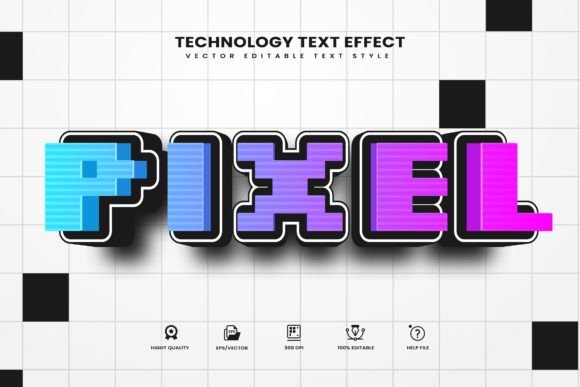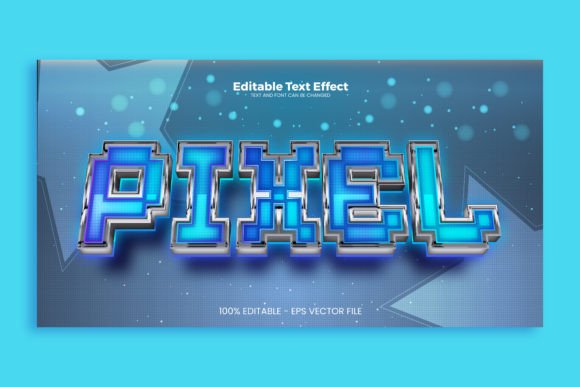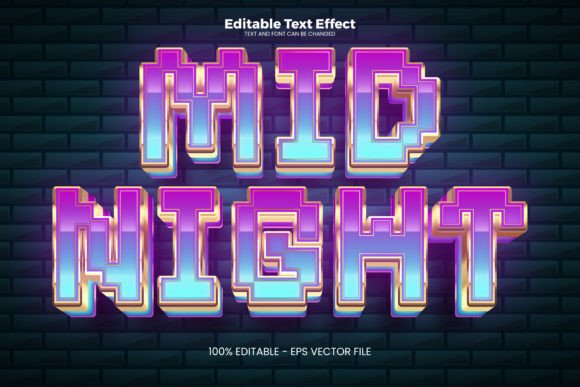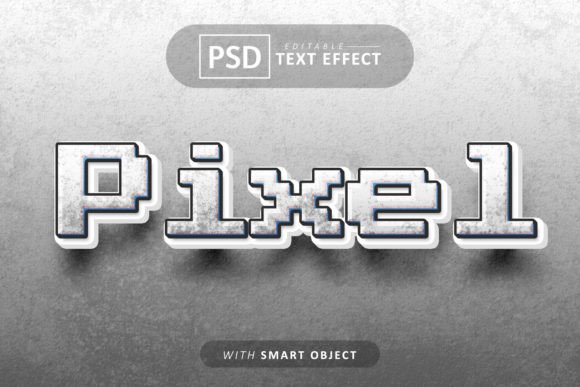
Pixel 3D Text Effects: A Smart Object PSD for Instant Depth
That flat, one-dimensional logo or headline can often feel like it's missing a certain punch, especially when you're trying to stand out in a crowded social feed or on a bold poster design. You know the feeling—you have a great concept, but the typography just sits there, lacking the impact to truly grab attention. This is where the magic of three-dimensional text comes into play, offering a solution that adds instant depth, character, and a professional polish that flat text simply cannot achieve. The challenge, however, has always been that creating convincing 3D effects from scratch in Photoshop is a time-consuming process, often requiring advanced skills in lighting, perspective, and layer styles. But what if you could bypass all that complexity and achieve a stunning, high-quality result in just a few clicks?
How Smart Objects Revolutionize Your Workflow
The real game-changer in modern design assets is the integration of Smart Objects. For the uninitiated, a Smart Object in Photoshop is essentially a container that holds the original data of your layer. When you apply effects to it, you're not permanently altering the original image or text. This means you can scale, rotate, or apply filters non-destructively. More importantly for a template like a Pixel 3D Text Effect, it means you can simply double-click the Smart Object layer, type in your own text, choose your desired font, save, and watch as the entire 3D effect automatically updates to your new content. This is the core of what makes a template 100% easily editable. You are not locked into a specific font or phrase. The sophisticated bevels, shadows, and lighting effects are all built into the layer styles and structure, ready to adapt to whatever you need.
This approach is a massive time-saver. Instead of spending hours tweaking gradient overlays, inner shadows, and perspective transforms to get a consistent 3D look, you start with a professionally crafted base. The well-organized layers mean you can still dive in and adjust the color of the light source, the intensity of the shadow, or the texture of the surface if you wish, but the heavy lifting is already done. It’s a perfect blend of professional result and user-friendly customization, ideal for designers who need to meet tight deadlines or small business owners who want to create their own marketing materials without a steep learning curve.
From Branding to Social Media: Where This Effect Shines
The applications for a versatile 3D text effect are broader than you might initially think. It’s not just for creating flashy logos; it’s a tool for building a cohesive and engaging visual identity across multiple platforms.
Consider your brand's visual consistency. Using the same distinctive 3D style on your website header, your Instagram story templates, and your email newsletter banners creates a subtle but powerful thread of recognition. Your audience starts to associate that specific depth and style with your brand, strengthening recall. For packaging design, a 3D text effect can make product names pop on labels and boxes, especially in product photography where you need to simulate how the text might look on a physical surface.
Social media is arguably where this effect finds its most dynamic use. In the endless scroll, a post with eye-catching, dimensional typography stops the thumb. It’s perfect for announcing sales, highlighting key messages in carousel posts, or creating standout profile banners. The high-quality design ensures it looks crisp and professional, not cheap or gimmicky. For bloggers and content creators, it can be used to design compelling featured images for articles or YouTube thumbnails that demand a click.
Beyond the digital realm, think about print. A striking poster for an event, an invitation with a luxurious feel, or even the cover of a self-published book can all benefit from the added dimension. For merchandise like t-shirts or mugs, a 3D text effect can give your designs a trendy, textured look that stands out. The key is that the template provides the foundation; your creativity directs its application.
Matching the Style to Your Message
Not all 3D effects are created equal, and choosing the right one is crucial. The "Pixel" style suggests a specific aesthetic—perhaps a subtle, modern bevel with a clean shadow, or it might evoke a retro digital feel. Before you dive into editing, consider the personality of your project.
Is your brand modern and tech-forward? A sharp, clean 3D effect with cool lighting might be perfect. Are you aiming for a playful, youthful vibe? You might look for an effect with softer edges or more vibrant color options. The beauty of a well-made PSD template is that it often comes with variations or is structured in a way that allows you to tweak these characteristics. You can change the color scheme to match your brand palette, adjust the shadow direction to imply different light sources, or even experiment with the texture overlays included.
Always test the effect with your actual content and intended font. A heavy, bold sans-serif will interact with the 3D lighting differently than an elegant, thin script. The template's smart object system makes this testing effortless. Swap in different font pairings to see what looks most cohesive and readable. Remember, while the 3D effect adds flair, readability cannot be sacrificed. The text still needs to be legible at the size it will be displayed, whether on a business card or a billboard.
Practical Considerations for Seamless Integration
When you invest in a design asset like this, a few practical checks ensure you get the most out of it. First, verify the commercial use license. If you plan to use the designs for client work, merchandise for sale, or any commercial project, you need to ensure the license permits this. Most reputable marketplaces clearly state the terms.
Take a moment to explore the file structure. A well-organized PSD will have layers named logically—"Shadow," "Highlight," "Texture," "Color Overlay"—making it intuitive to find and adjust specific elements. This organization is what separates a professional tool from a frustrating one. Also, check the preview JPEGs. They should give you a clear idea of the final output, but remember that the true power lies in the editable PSD.
Finally, think about integration into your existing design workflow. This asset shouldn't exist in isolation. Consider how the 3D text style complements your other typography choices—your body copy fonts, your subheadings. The goal is visual harmony. Use the 3D effect strategically for impact, not on every single piece of text. It’s a powerful accent, not a replacement for a full typographic system. By using it thoughtfully, you leverage its strength to draw the eye exactly where you want it, enhancing your message rather than overwhelming it. This strategic application is what ultimately elevates a project from good to professionally polished.