Pixel Text Effects: Crafting Retro Digital Charm for Modern Projects
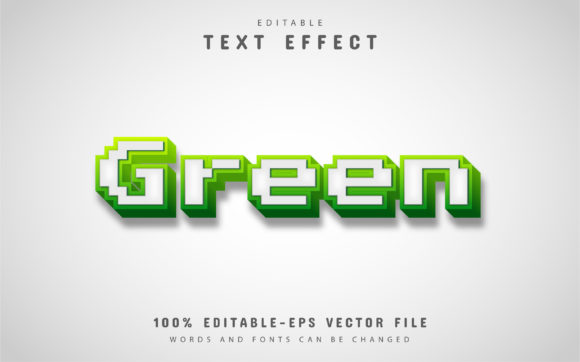
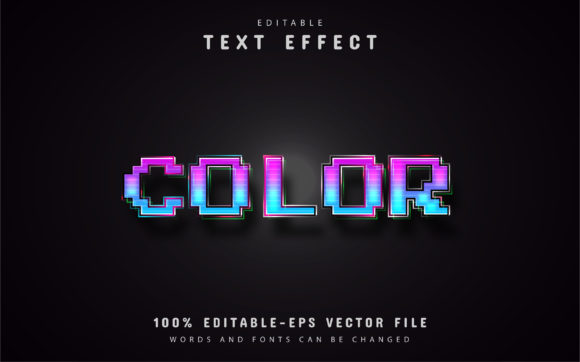
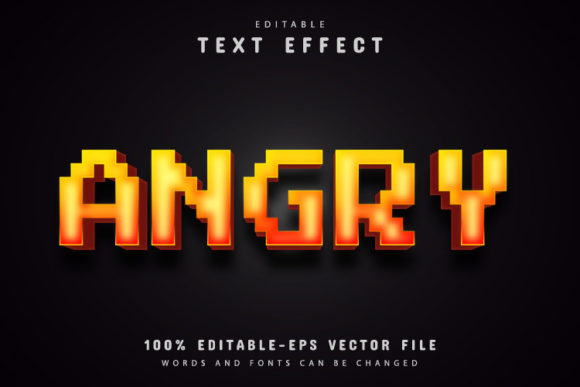
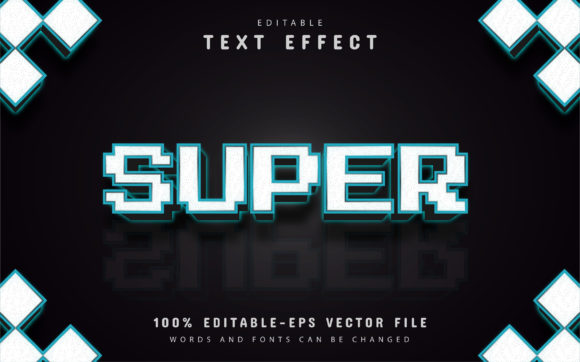
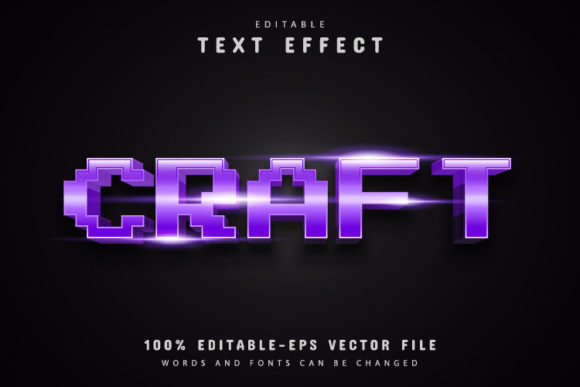
There’s a certain magic in the blocky, nostalgic aesthetic of early digital displays. It’s a style that immediately evokes a sense of retro gaming, vintage computer interfaces, and the charming limitations of a bygone tech era. For designers and creators looking to tap into that specific visual language, a tool like Craft Pixel Text Effects offers a direct and versatile solution. This isn't just a static image; it's a fully editable vector design system built within Adobe Illustrator, allowing you to harness that classic pixel look with complete creative control.
A Design Asset Built for Flexibility
At its core, Craft Pixel Text Effects is a premium font and design asset package that provides you with the building blocks to create text that looks like it's been rendered on an old monitor or arcade cabinet. The key differentiator is its format as an editable vector file. This means the pixelated appearance isn't a fixed raster image that degrades when you resize it. Instead, each "pixel" is a vector shape. You can enlarge it for a massive poster or shrink it for a website favicon, and the crisp, clean edges will remain perfect. This scalability is crucial for maintaining a professional presentation across all your branding and marketing assets.
The package includes both EPS and JPG files, with the EPS file being your primary workhorse in Adobe Illustrator. The text is fully editable—you're not locked into a single phrase. This feature alone transforms it from a simple graphic into a dynamic typeface system for your projects.
Where Pixel Art Typography Truly Shines
The retro-digital aesthetic isn't for every project, but when it fits, it communicates instantly and memorably. Consider the visual identity for a tech startup that wants to nod to its founders' nostalgic roots, or a mobile game developer needing UI text that feels authentically "gamey." Craft Pixel Text Effects excels in these scenarios.
Logo Design & Brand Identity: A pixel-style logotype can set a brand apart in crowded markets. It suggests innovation, a playful approach to technology, or a connection to gaming and geek culture. The ability to edit the text means you can test your actual brand name in the style before committing.
Packaging & Merchandise: For products like energy drinks, retro-themed snacks, or indie video game merchandise, this text effect adds instant thematic cohesion. Imagine product names on packaging or bold headlines on t-shirts and posters that capture that 8-bit energy.
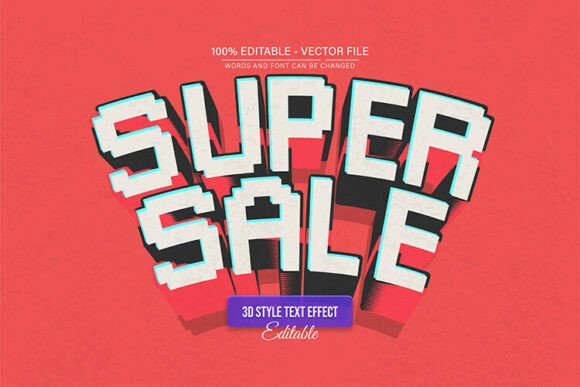
Digital & Social Media Presence: Social media graphics, YouTube thumbnails, and blog headers need to grab attention quickly. The distinctive, blocky letters of a pixel font stand out in a feed of smooth, modern sans serifs. It’s perfect for announcements, sale graphics, or themed content series.
Editorial & Invitation Design: Use it for chapter titles in a magazine feature about gaming history, or as the headline font for a retro-themed party invitation. It adds a layer of thematic depth that standard script or serif fonts cannot provide.
Practical Workflow: Making It Your Own
The real power of this vector asset is unlocked in Adobe Illustrator. The process is straightforward, designed for users without advanced typographic skills. After opening the provided EPS file, you simply select the Text Tool (the "T" shortcut), click on the existing text, and type your own words. The pixel effect is applied dynamically to your new text.
The "Unlimited Color Variations" feature is where you can tailor the effect to your specific brand palette. By editing the vector shapes in Illustrator, you can change the fill colors of the pixels to match your brand's primary and secondary colors. This ensures visual consistency across your entire project, reinforcing brand recognition. You could create a classic green-on-black terminal look, a vibrant arcade palette, or a sleek monochrome version.
Considerations for Effective Implementation
While the aesthetic is powerful, thoughtful application is key. Pixel text is inherently a display font style, best suited for headlines, logos, and short bursts of impactful text. Its blocky nature, while stylish, can reduce readability in long paragraphs. Always prioritize your audience's ability to easily read your core message.
Font Pairing: This is where strategic design comes in. Pair your pixel-style headlines with a clean, simple sans serif font or even a traditional serif font for body copy. The contrast will make your headlines pop while ensuring the supporting text remains legible and professional. Avoid pairing it with other highly decorative script fonts or handwritten fonts, as the clash can create visual chaos rather than harmony.
Project Alignment: Before diving in, ask yourself if the retro-digital vibe aligns with your project's goals. It's a strong stylistic choice that communicates specific connotations. It’s fantastic for a gaming blog, a tech podcast, or a brand with a fun, irreverent personality. It might be less suitable for a law firm's website or a luxury spa's brochure, unless used in a very subtle, ironic way.
The included font info typically points to free fonts that complement the pixel effect, which is a helpful starting point for building your complete typographic system. Always double-check the licensing for any free font used in commercial projects to ensure compliance.
Final Thoughts on Creative Execution
Craft Pixel Text Effects provides a specialized tool for a specific and enduring visual style. Its value lies in its editable vector nature, giving you the freedom to adapt it precisely to your brand's needs without sacrificing quality. By understanding its strengths—immediate thematic communication, scalability, and color adaptability—you can use it to craft engaging social media graphics, distinctive logos, and memorable marketing assets that resonate with audiences who appreciate that blend of nostalgia and digital craft. The key is to use it intentionally, ensuring it serves your project's narrative and enhances, rather than overwhelms, your overall design.