Revive Nostalgia: The Games Pixel Text Effect for Modern Branding
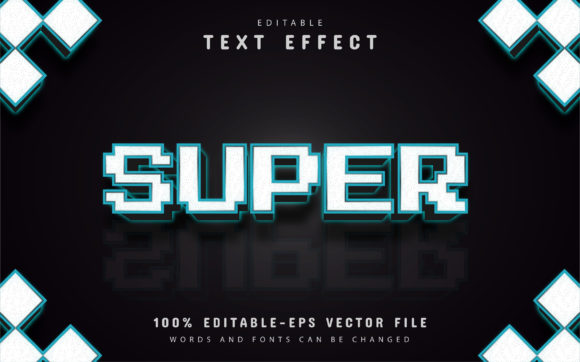
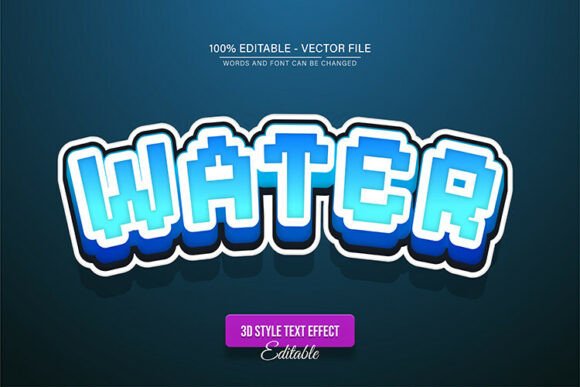
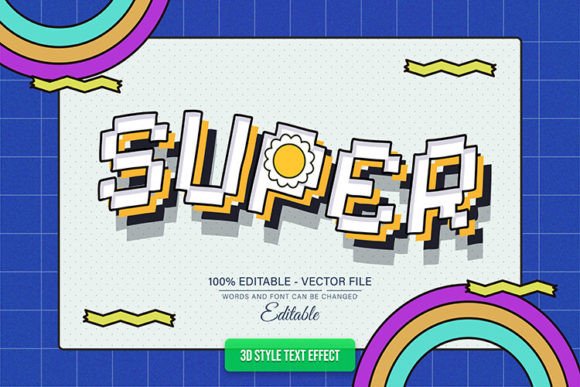
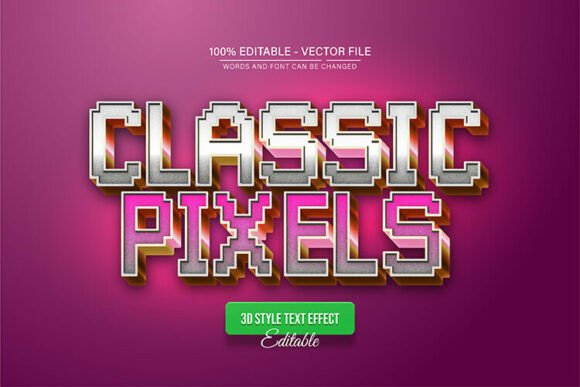
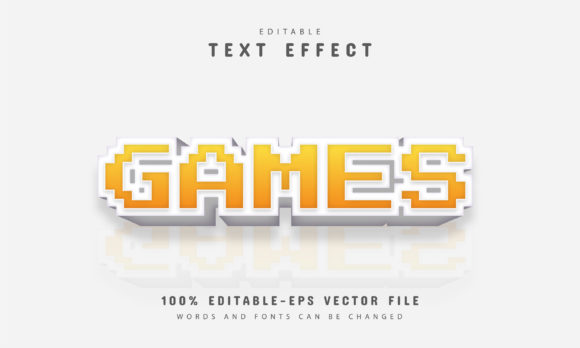
There is a powerful, almost emotional connection to the blocky, 8-bit typography of the late 80s and early 90s. It reminds us of arcade cabinets, the glow of a CRT monitor, and the dawn of digital entertainment. For designers and brand builders today, tapping into that retro aesthetic isn't just about looking backward; it is a strategic way to stand out in a market saturated with sleek, hyper-modern minimalism. If you are looking to inject personality and a distinct visual identity into your work, the Games Pixel Text Effect offers a versatile bridge between classic nostalgia and contemporary vector precision. This isn't just a static image; it is a fully editable vector design asset that allows you to manipulate size, shape, and color without ever compromising the crisp, authentic quality of the original artwork.
One of the most significant barriers to using retro-style assets in professional work has always been scalability. Rasterized pixel art often turns into a blurry mess when enlarged for print materials or high-resolution displays. However, this design solves that problem entirely because it is built as a vector. You can enlarge or reduce the size to fit anything from a tiny favicon on a website tab to a massive billboard advertisement, and the quality remains impeccable. For a graphic designer, this flexibility is non-negotiable. It ensures that your brand assets remain consistent across all mediums, whether you are designing for digital screens or physical merchandise.
The Anatomy of a Versatile Vector Asset
When you are selecting design assets, the technical specifications often dictate how much creative freedom you actually have. The Games Pixel Text Effect comes in both EPS and JPG formats, but the true power lies in the EPS file. Because it is 100% editable, you are not locked into the creator's color palette or specific text. This is particularly useful for small business owners who need to match specific brand guidelines. You have unlimited color variations available through Adobe Illustrator, meaning you can tweak the shading, the background layers, and the text itself to align perfectly with your existing color theory.
The user experience of editing this asset is designed to be frictionless, requiring no advanced technical skills. The workflow is straightforward: open the file in Adobe Illustrator CS or higher, select the text tool by pressing "T" on your keyboard, click on the text, and simply type your new message. This ease of use is vital for content creators and entrepreneurs who need to move quickly. You don't have time to learn complex 3D modeling or advanced layer styles just to create a header for a blog post or a thumbnail for a video. This asset streamlines the process, allowing you to focus on the message rather than the mechanics of the software.
Strategic Applications for Branding and Marketing
Typography is the voice of your brand visualized. Choosing a pixel-style font signals to your audience that you are accessible, fun, and perhaps a bit rebellious. It works exceptionally well for specific niches and industries. For instance, if you are launching a tech startup that focuses on coding bootcamps or software development, using this text effect on your landing page or social media graphics immediately communicates a sense of "hacker culture" and technical proficiency. Similarly, for a food truck or a craft brewery, this retro aesthetic can evoke a sense of fun, casual dining, and nostalgia that invites customers in.
Consider the application of this design in the realm of social media graphics. Algorithms favor engagement, and visual distinctiveness stops the scroll. A bold, pixelated header on an Instagram story or a YouTube thumbnail cuts through the noise of standard sans-serif fonts. It creates a visual hierarchy that draws the eye immediately to the key message. For podcasters or streamers, using this text effect for channel art or merchandise designs—like T-shirts and mugs—creates a cohesive brand identity that fans can recognize instantly. It transforms a simple logo design into a piece of pop culture art.
Beyond digital spaces, the utility of the Games Pixel Text Effect extends into physical marketing assets. Imagine the impact of a retro-styled poster for a local event, a music festival, or a gaming tournament. The pixel aesthetic is instantly recognizable and sets the tone for the event before the attendee reads a single word of the copy. It is also highly effective for packaging design. If you are selling artisanal candy, energy drinks, or even children's toys, the playful geometry of pixel typography can make your product pop on the shelf. It suggests a product that is approachable and high-energy.
Enhancing Visual Consistency and Readability
While creativity is important, functionality in typography is paramount. A common concern with display fonts and text effects is readability, particularly at smaller sizes. The design of this specific vector effect prioritizes clarity. The blocky nature of pixel art creates high contrast, making it legible even when used as sub-headlines or call-to-action buttons on a website. However, as a best practice, always test your font pairings. A heavy, textured pixel font pairs best with a clean, simple sans-serif or a minimalist serif font for body text. This contrast creates a professional presentation that guides the reader's eye naturally from the headline to the content.
When integrating this asset into your workflow, pay attention to the context of your project goals. Are you trying to convey urgency? Use high-contrast colors like neon green on black or yellow on blue—classic arcade combinations that scream "Game Over" or "Start Here." Are you trying to be more subtle? Use muted pastels or monochromatic grays to soften the "tech" edge and make the text feel more like a design pattern than a loud announcement. The ability to edit the colors freely in Adobe Illustrator means you can adapt this single asset to fit a wedding invitation with a "Player 1 & Player 2" theme just as easily as you can fit a corporate tech report.
Practical Tips for Implementation
To get the most out of this premium font style, it is helpful to view it as a component of a larger system rather than a standalone decoration. Here are a few practical recommendations for your next project:
- Visual Hierarchy: Use the Games Pixel Text Effect for main headlines and key call-outs. Avoid using it for long paragraphs of text, as display fonts are designed for impact, not extended reading. This ensures your design remains breathable and easy to scan.
- Color Psychology: Leverage the unlimited color variations to test different emotional triggers. Bright, primary colors (Red, Blue, Yellow) evoke a sense of classic retro gaming and energy. Darker, neon-accented palettes (Cyan on Dark Grey) feel more cyberpunk and futuristic.
- Format Selection: Always keep your master file in EPS format. When exporting for web use, convert to optimized JPG or PNG to ensure fast load times on your website or blog without sacrificing the sharpness of the vector lines.
- Commercial Licensing: Before using this in a large-scale commercial campaign or on mass-produced merchandise, always review the included license details. While the asset is designed for easy editing, understanding the terms of use for digital products and print materials is essential for protecting your business.
Ultimately, design is about communication. By incorporating the Games Pixel Text Effect into your toolkit, you are equipping yourself with a language that speaks to a massive audience of gamers, tech enthusiasts, and anyone who appreciates a nod to digital history. It is a creative font that balances the line between playful and professional, offering endless possibilities for those willing to experiment. Whether you are a freelancer crafting a brand identity or a hobbyist making party invitations, this vector asset provides the quality and flexibility needed to bring your vision to life.